How to Use Just My Socks: Clients, Routes, and the Freedom Server
Install a client
After receiving a Shadowsocks or V2Ray account, install a compatible client and import the server details. Just My Socks does not support SSR, so do not use an SSR client.
Use the official software downloads page to choose a client:
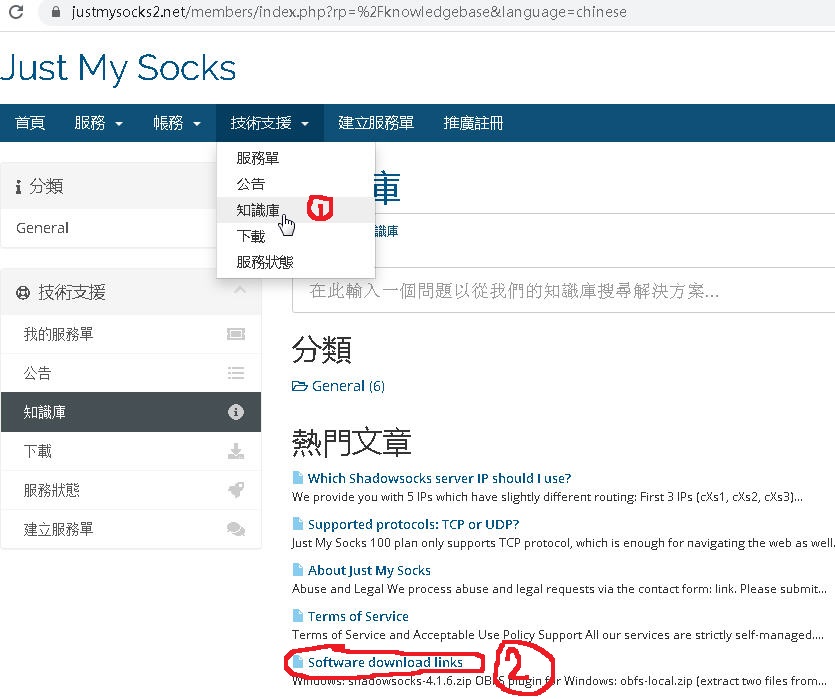
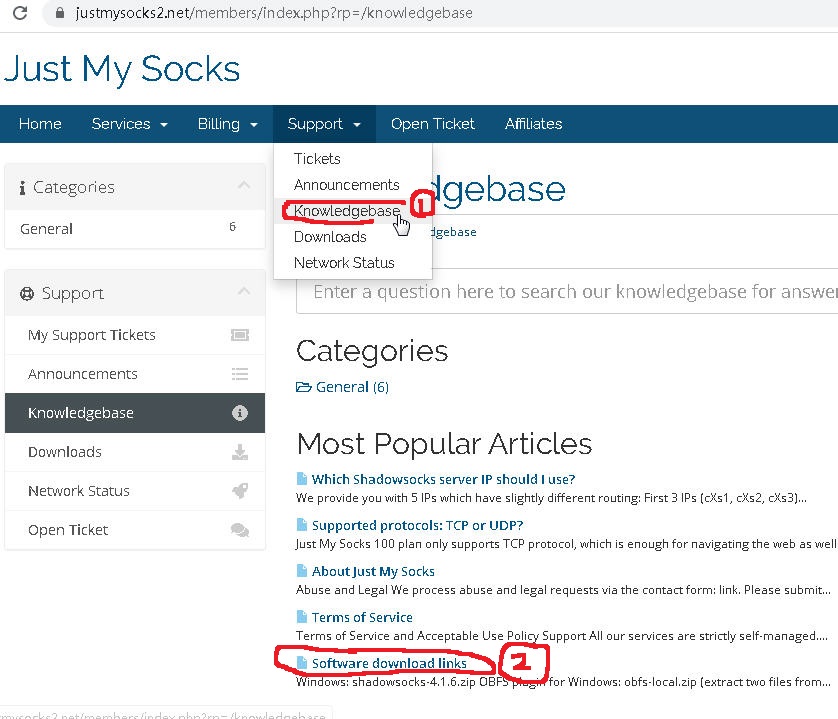
The five regular routes
The regular routes are described as follows:
- cXs1, cXs2, and cXs5 use CN2 GT and direct China Unicom/China Mobile routing.
- cXs3 uses China Telecom CN2 GIA routing.
- cXs4 uses advanced China Mobile hybrid routing with CN2 GIA on the return path.
- Routes, names, and routing policies can change; historical descriptions are not current guarantees.
The Freedom server (s801)
s801 is a Freedom server that may provide more transfer capacity depending on the current multiplier. It uses a cheaper route and does not come with a quality or uptime guarantee.
For example, with a multiplier of 10, a 20 GB download might count as about 2 GB, but the multiplier can change. Check the current official description and balance speed, stability, and traffic savings.
Suggested flow
- Download a client from the official page.
- Import the server information from your service details.
- Test the regular routes first, then try the Freedom server if appropriate.
- If the connection fails, return to the service details and recheck every field.
Other notes
If the service does not meet your needs, review the official refund conditions; eligibility depends on the current policy. Do not use the service for unlawful activity or in violation of the terms.