Using Just My Socks on Mac: V2Ray Setup Guide
The official Mac V2Ray page is obsolete and recommends Jamjams. These steps preserve the V2RayX flow for reference.
Use Jamjams first
Jamjams supports both Shadowsocks and V2Ray and normally needs no manual configuration. Get the current Mac version from the official software downloads page.
Configure V2RayX
- Sign in and open Services → My Services.
- Select an active service and open its details.
- Install V2RayX and open its configuration window.
- Enter the server, port, user information, and other listed parameters.
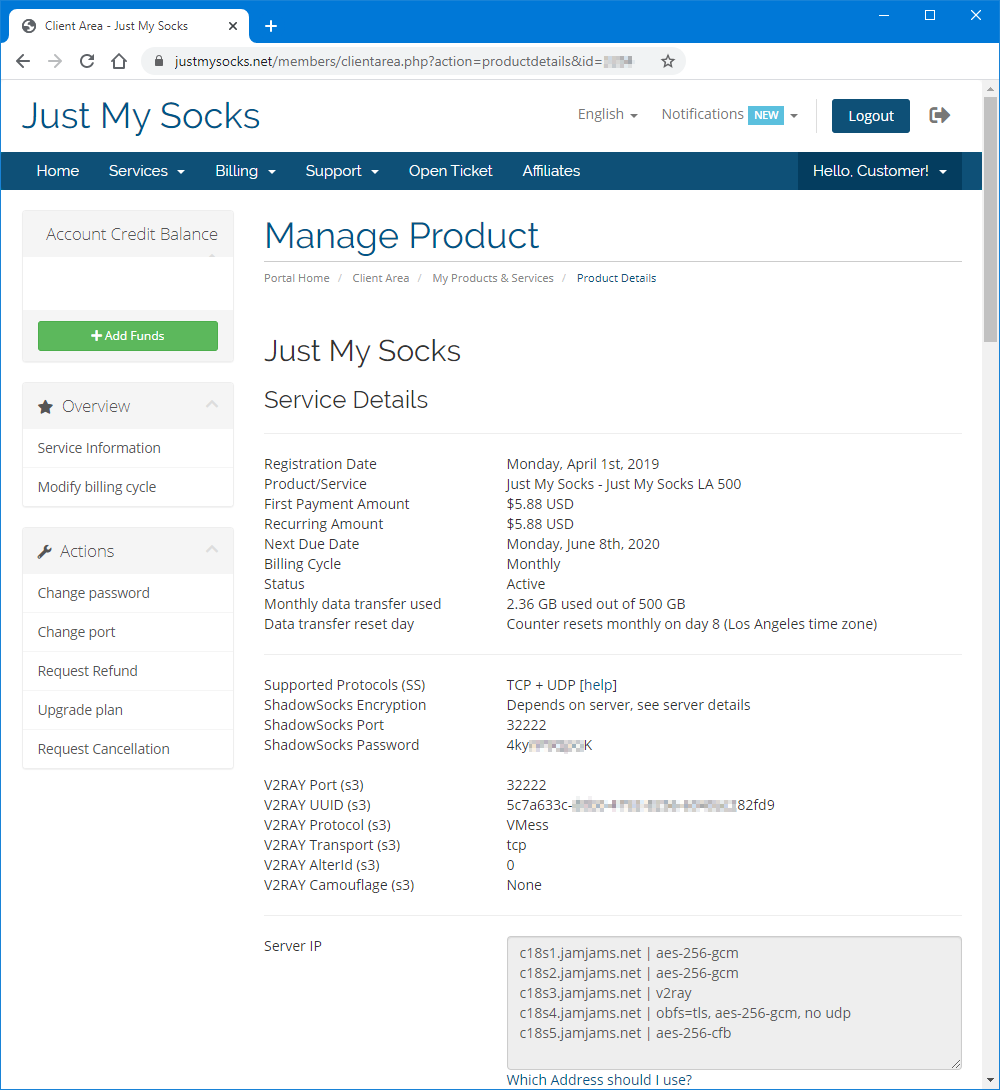
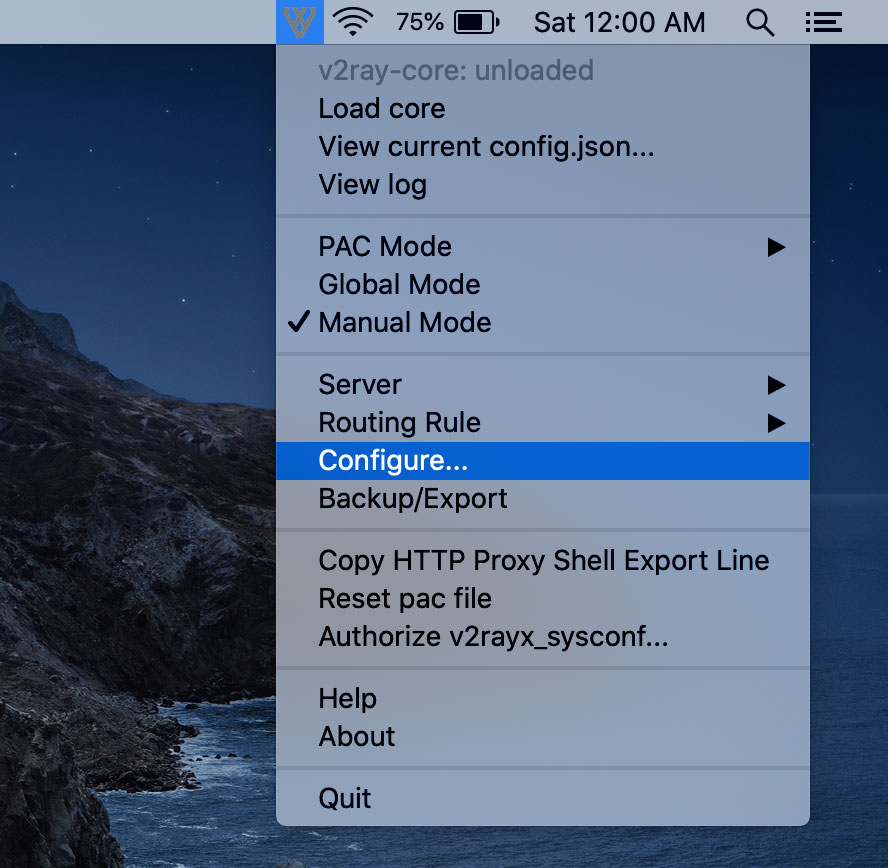
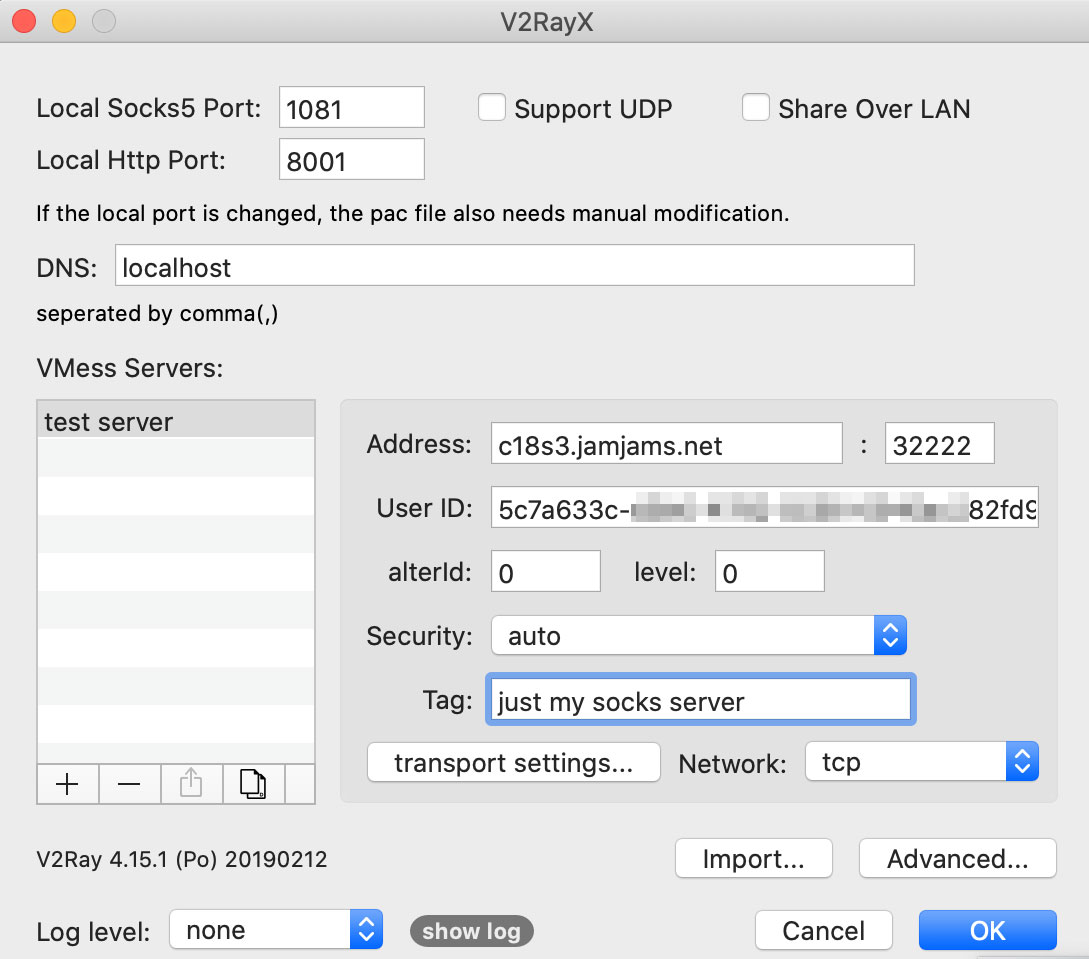
The Tag field is only a server alias.
If the transport is TCP+TLS, enable tls and set allowInsecure to True:
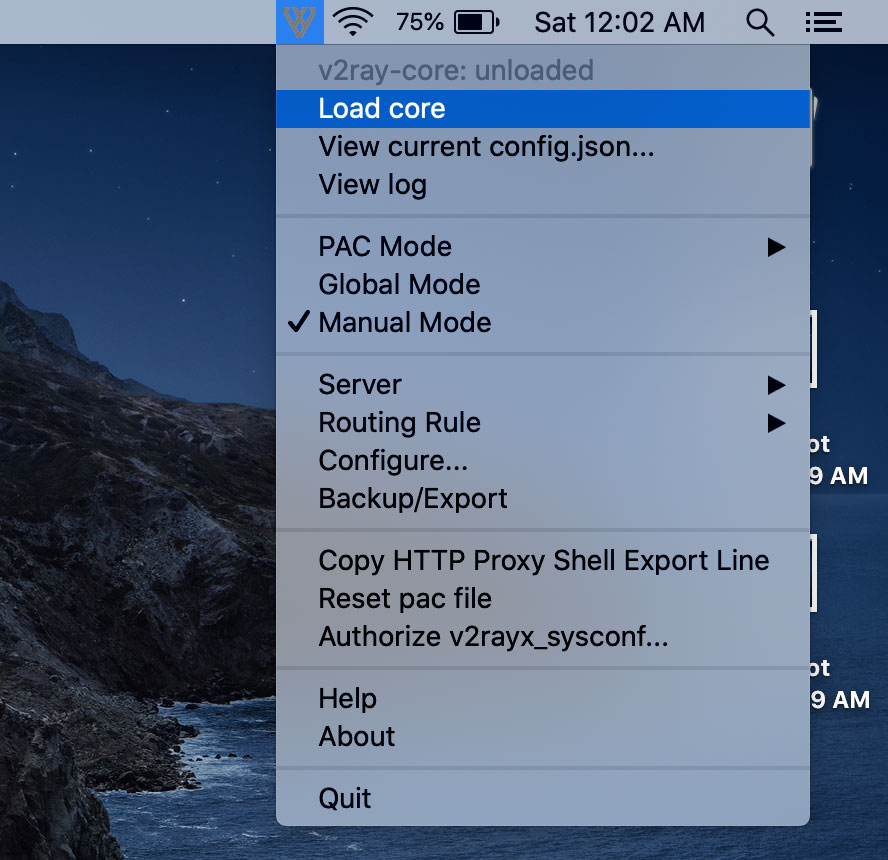
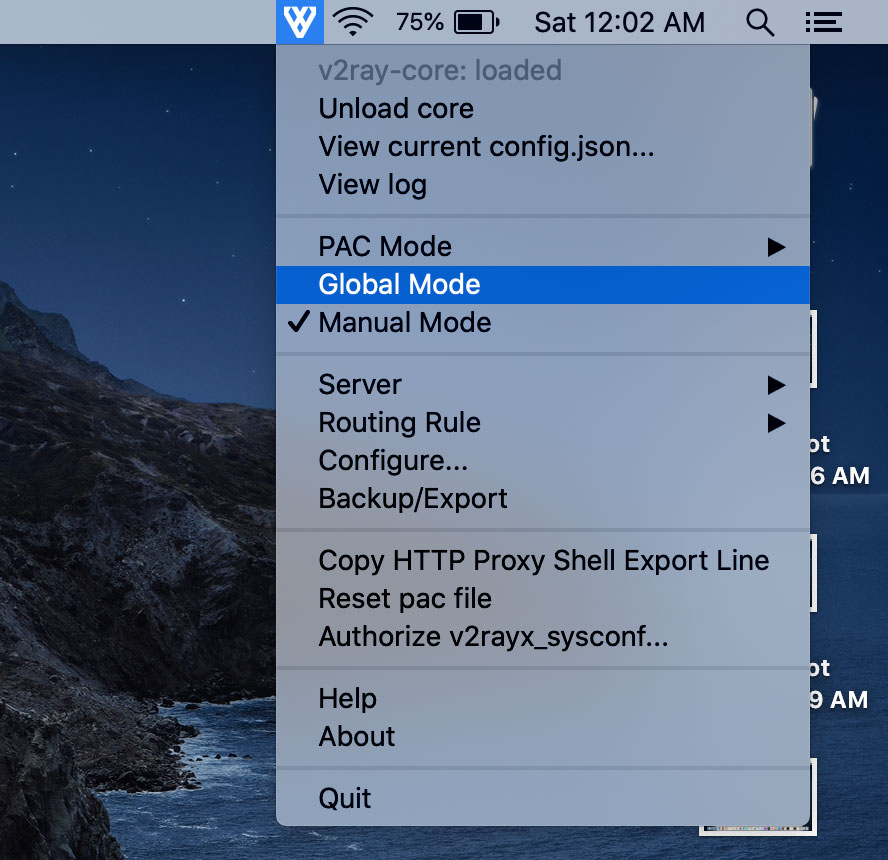
Load the V2Ray Core:
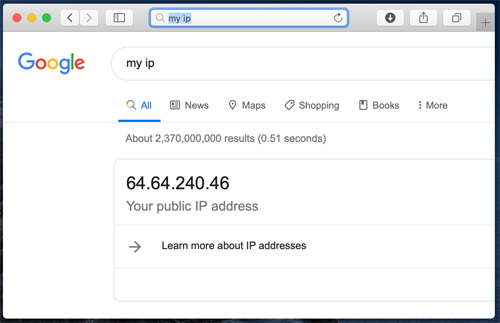
Finally, enable Global mode proxy.